Answering your questions!
Thank you for your interest in Aces of Thunder! We’re keeping an eye on comments on social media, discussion threads, and Steam reviews — please keep posting them! Here, we’ll answer the most common questions we’ve seen.
— Will there be a way to use the menus with only HOTAS in VR? Is there a way to avoid using VR hand controllers to access the in-game menu?
Due to a number of bugs we discovered too late before release, it’s currently not possible to interact with the GUI in VR without VR controllers or hand tracking. We’re working hard to restore this ability as soon as possible.
— The most urgent issues to fix are VR haptic feedback and disabling the “toggle grip” mode (how you grab and release with your hand).
Both options are available in the Comfort Settings and Control Settings. If they’re enabled but don’t work for you, please submit a bug report via the CBR.
— Do you consider the current level of simulation (no propeller RPM control, radiators, WEP, etc.) final? Are there plans to deepen aircraft systems modeling?
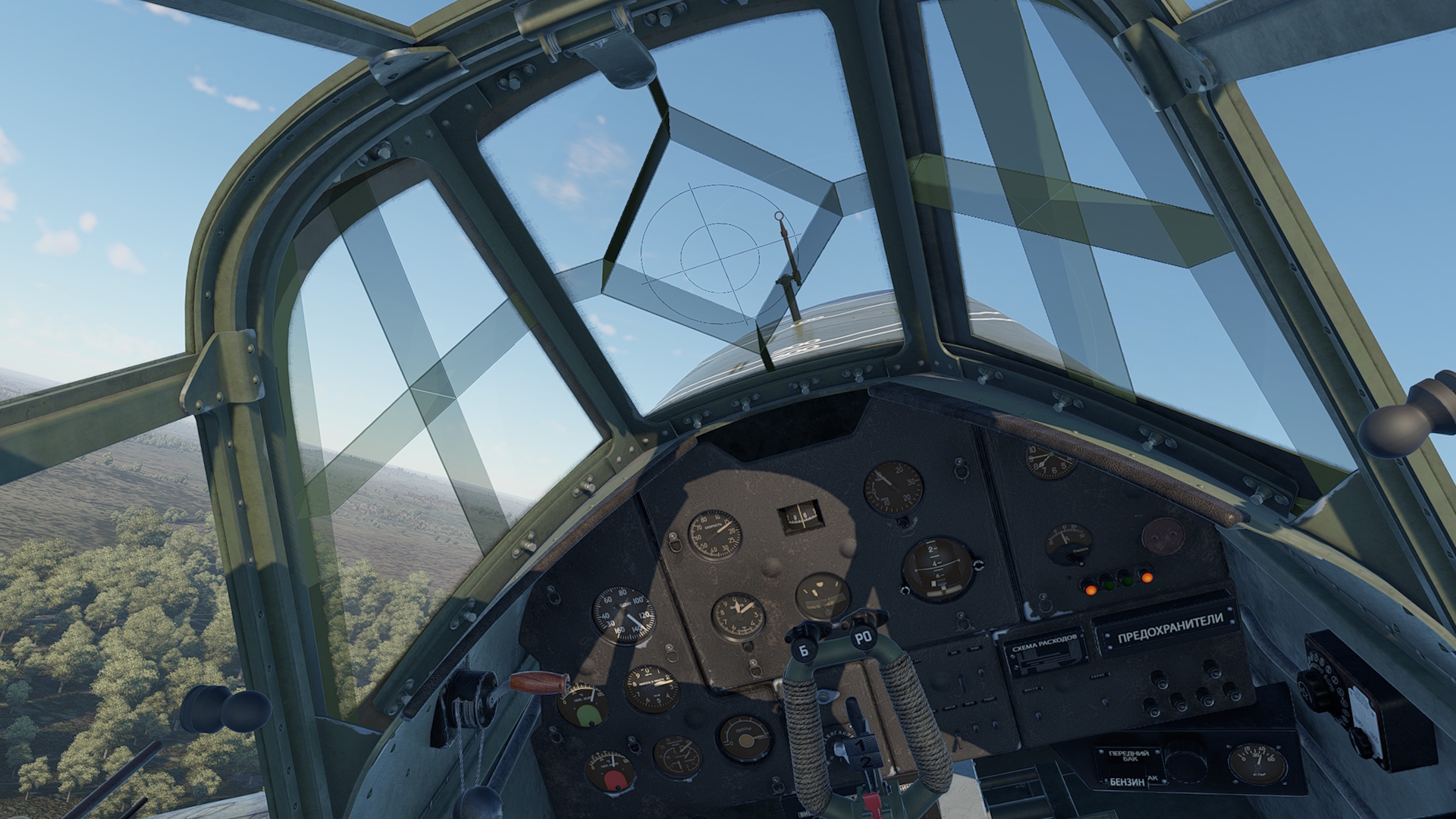
All of the above features (propeller RPM control, radiators, etc.) are already implemented in the game. Some controls require Manual Engine Control to be enabled and can be toggled individually between automatic and manual modes.
We’re working to make these functions more convenient to use and to encourage players to learn to fly with full controls. We’re also considering additional improvements to the flight model and aircraft systems, while aiming to strike a balance between a hardcore simulator and gameplay that’s accessible to inexperienced casual pilots. We are not trying to make a study-level simulator.
— Do you plan to add a cold start from the runway and enable collision modeling between friendly aircraft?
For now, a cold start is not planned, but we can consider it if there’s strong demand. Collisions with friendly aircraft are disabled on the runway but work as intended in flight.
— Will you improve or simplify the keybinding system?
Yes — plans are in place and work is underway. You can help us a lot by detailing exactly what you find problematic, and we’ll do our best to take your suggestions into account.
— Are you considering adding a tutorial to help new players learn the controls and gameplay basics?
Implementing a truly good, immersive tutorial for a VR project has proven much more difficult due to technical engine constraints, so it isn’t in the game yet. We’re working on it! We hope that once it’s in, Aces of Thunder will be more accessible to less experienced virtual pilots.
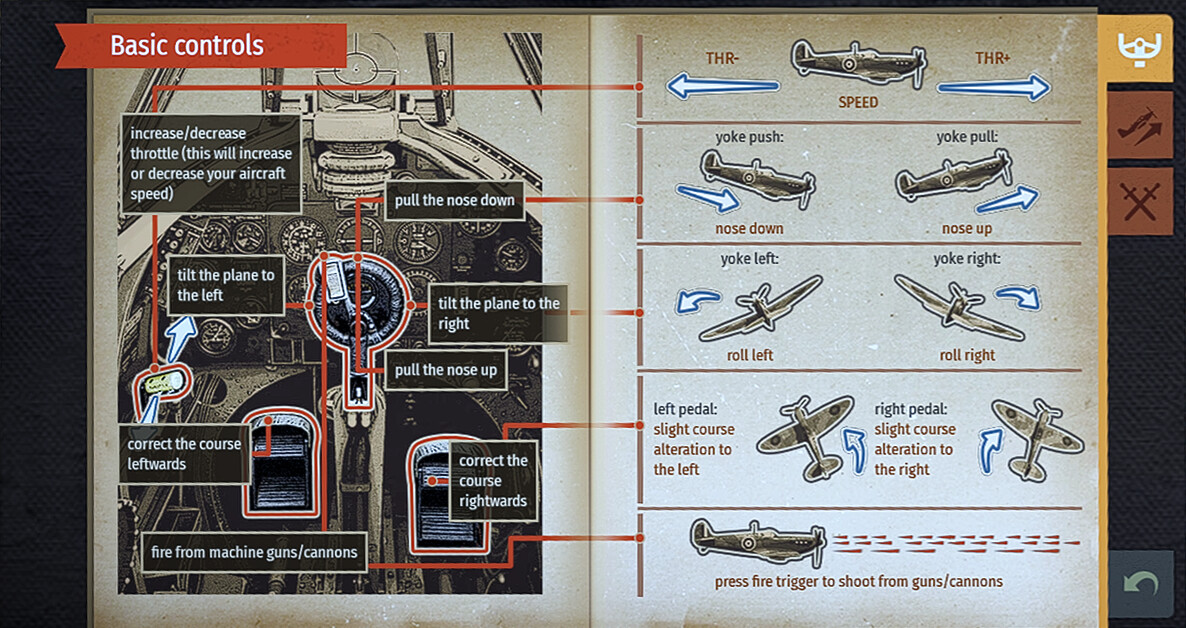
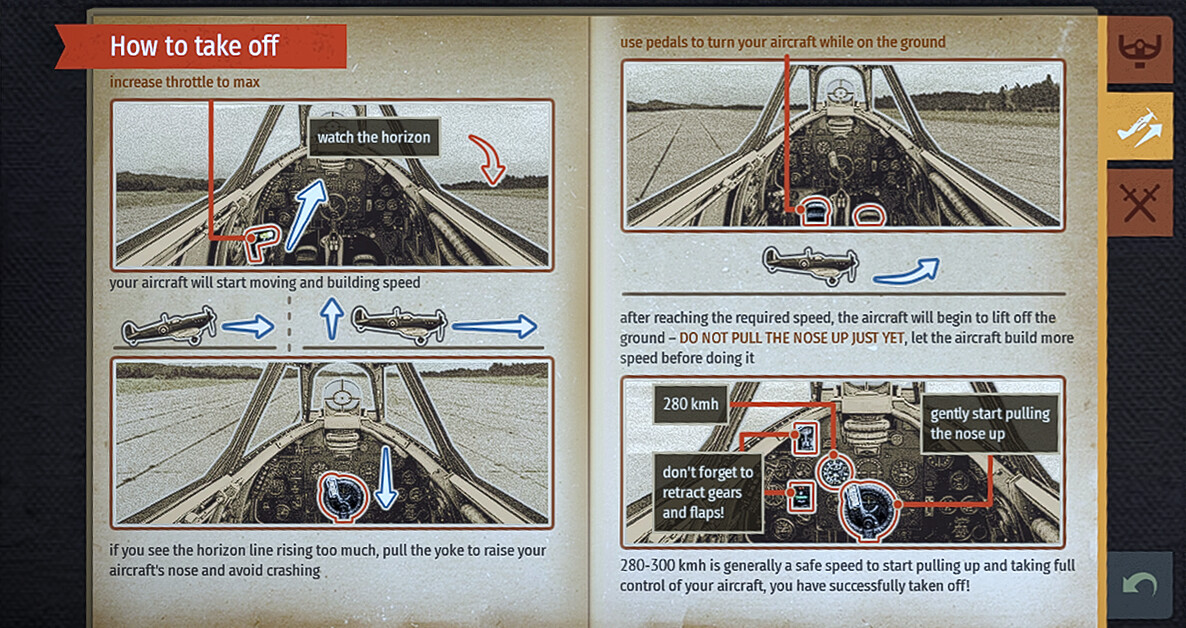
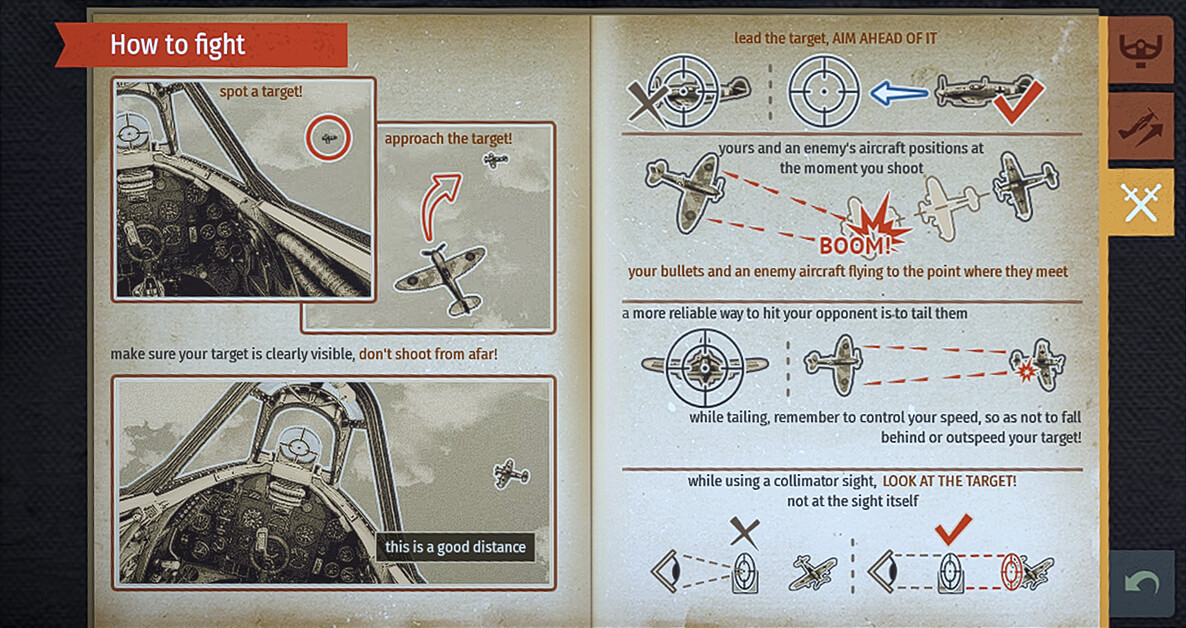
You can learn to fly in the test flight, and there’s a flight principles manual that you can find on the pilot’s tablet next to the game mode selection button.
— Why is the framerate low on my system?
Please submit a report with all relevant details. On a base PS5 in VR mode, the game delivers a stable 90 FPS, as it does on many of the PC builds we tested. The system requirements reflect this.
— The tablet jitters at the slightest movement!
That’s definitely a bug, and we can’t reproduce it on our side. Please submit a detailed report — we’ll be happy to fix it.
— Everything smears as the camera moves around. Allthe edges ghost like crazy. I would suspect an always-on frame generation, but I don’t know that that’s the case.
This is definitely a bug. There should be no smearing, and we can’t reproduce it on our side. Please contact us via CBR and provide more details.
There is no frame generation implemented in the game. It doesn’t work well with many important aspects of flight sim gameplay. The game is optimized to not require it on most hardware configurations, specifically for gameplay reasons.
— When will TrackIR support, already implemented in War Thunder, be added to Aces of Thunder?
We had to temporarily disable it at release due to technical issues. It will be back very soon!
— Doesn’t work with Moza MTP!
Please file a bug report. The game does not limit or block any devices. However, for obvious reasons, we can’t test every possible hardware combination. The game is known to work with the Moza devices we have on hand, and we’d like it to work with as many devices as possible.
Thank you to everyone sharing feedback and reports after release. We’re closely following community discussions and are already working on a number of improvements related to control usability, the VR experience, TrackIR support, and technical stability. Some of the reported issues are already in progress and will be fixed in future updates. We’ll keep you posted on our progress — thank you for staying with us and helping make the game better.